
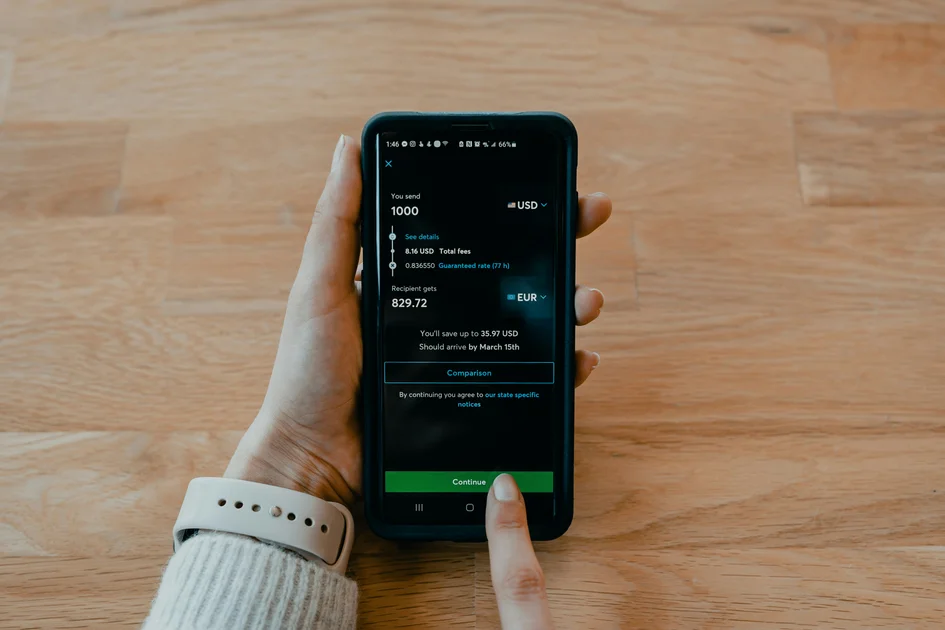

Learning how to save mobile data without affecting browsing and streaming quality is a total game-changer for anyone living their best digital life in 2026. We have all been there: you are halfway through a viral livestream or deep in a TikTok scroll session, and suddenly you get that dreaded low-data notification. It is honestly the ultimate vibe kill. The good news is that you do not need to settle for pixelated videos or slow page loads just to keep your carrier happy. By tweaking a few settings and being smarter about how your phone handles background tasks, you can keep your streaming crisp and your browsing smooth while keeping your data usage in the green zone. Let us dive into the best hacks to optimize your connection without sacrificing the quality you crave.
Mastering Background Data Sync
The biggest silent killer of your monthly data allowance is background sync. Even when you are not actively using your phone, apps are constantly pinging servers to refresh feeds, download updates, and track your location. If you want to save mobile data without affecting browsing and streaming quality, you need to put these apps on a leash. Most modern operating systems in 2026 allow you to toggle off background data for specific high-usage applications. By restricting these, you ensure that your precious gigabytes are reserved strictly for the content you are actually watching or reading at that exact moment. It is all about giving priority to your active screen time over passive app updates.
To get the most out of this, go into your settings and identify which apps are the biggest offenders. Social media giants and cloud storage apps are usually the ones guzzling data in the shadows. Once you restrict their background access, you will notice your battery life improves alongside your data reserves. It is a win-win situation. Remember, you can always manually sync these apps when you are connected to a stable Wi-Fi network. This simple habit shift effectively stops the invisible drain that plagues most smartphone users, allowing you to enjoy high-definition streaming for much longer periods throughout the month without needing to upgrade your expensive data plan.
Optimizing Video Streaming Settings
Streaming is the primary culprit for data depletion, but you do not have to watch everything in low-res just to save cash. Many streaming platforms now offer adaptive bitrate streaming that adjusts automatically, but you can be more proactive by manually capping your resolution. In 2026, streaming at 1080p is usually more than enough for a mobile screen, whereas 4K is often overkill that burns through data at an alarming rate. By setting your default resolution to 1080p or even 720p on smaller devices, you maintain a crisp visual experience while cutting your data intake by nearly half. It is a subtle tweak that makes a world of difference for your wallet.
Utilizing Offline Mode Effectively
Another pro-tip is to lean into offline downloads when you are near a reliable Wi-Fi signal. Whether you are using Spotify, Netflix, or YouTube Premium, downloading your favorite playlists and episodes ahead of time is the gold standard for data management. This ensures that when you are on the go, you are not streaming the same content repeatedly over cellular networks. Think of it as pre-loading your digital life. By keeping a library of offline content, you stay entertained during commutes or travel without touching your cellular plan. This method is the most effective way to guarantee zero buffering and premium quality, regardless of how spotty your signal gets during the day.
Quick Facts & Statistical Insights
Industry research from 2026 indicates that mobile video traffic accounts for over 75 percent of global cellular data consumption. Studies show that users who manually cap video resolution at 1080p instead of allowing ‘Auto’ settings can reduce data usage by approximately 40 percent without perceived loss of clarity on mobile displays. Furthermore, disabling background data refresh for non-essential applications extends average monthly data retention by an estimated 15 to 20 percent. Experts suggest that caching media over Wi-Fi is currently the most underutilized strategy for preventing overage charges in high-demand mobile environments.
Comparison Table / Specifications Table
| Feature | High-Data Mode | Data-Saver Mode | Optimal Balance |
|---|---|---|---|
| Video Resolution | 4K / Ultra HD | 480p (SD) | 1080p (Full HD) |
| Background Sync | Always Enabled | Disabled Entirely | Restricted to Select Apps |
| Audio Quality | Lossless / High-Res | Low Bitrate | Balanced (256kbps) |
| Automatic Updates | Any Network | Wi-Fi Only | Wi-Fi Only |
| Caching Strategy | Real-time Streaming | No Caching | Pre-download on Wi-Fi |
| Battery Impact | High Drain | Minimal Drain | Moderate Drain |
Browser Optimization Techniques
Your web browser is another area where data can vanish if you are not careful. Modern browsers are packed with features like data saver modes that compress images and scripts before they hit your screen. By enabling these features, you can load pages faster and use less data without noticing a major dip in visual quality. Additionally, consider using ad-blockers or content-blocking extensions. Advertisements are often data-heavy, containing tracking scripts and high-resolution media that you never actually intended to load. By stripping these out, you are not just saving data; you are also creating a cleaner, faster browsing experience that feels much more streamlined.
Another often overlooked trick is to avoid loading heavy media-rich sites when you are out and about. If you are just checking information, try using the reader mode available in most browsers. This strips away all the unnecessary clutter and focuses on the text, which is significantly lighter on your data usage. If you are interested in deep-diving into how web protocols affect your usage, check out W3C standards for insights into how modern web pages are structured. By adopting these minimalist browsing habits, you keep your data usage low while ensuring your browser remains responsive and efficient, even in areas with lower signal strength.
Leveraging Cloud and System Tools
Your phone’s operating system in 2026 is smarter than ever, and it comes with built-in tools designed to manage your consumption. Dive into the data usage section of your settings to see exactly which apps are acting like total data hogs. You can set up data limits and alerts that notify you when you have reached a certain threshold, which is perfect for preventing those nasty surprises at the end of the month. Many phones also feature a global data saver mode that essentially forces every app on your device to behave more conservatively. It is a powerful switch that works wonders when you are getting low on your monthly allowance.
It is also smart to review your cloud backup settings. Make sure that your photos, videos, and large documents are configured to back up only when you are connected to Wi-Fi. It is incredibly common for phones to try and upload high-resolution video clips to the cloud the moment you record them, which can burn through your gigabytes in seconds. By switching these backups to Wi-Fi only, you preserve your data for things that actually matter in the moment. Taking control of these system-level settings is arguably the most “pro” move you can make to ensure you never run out of data unexpectedly.
Key Takeaways
- Restrict background data for non-essential applications to stop invisible usage.
- Cap video streaming resolution at 1080p to maintain quality while saving space.
- Use Wi-Fi to pre-download content and sync cloud backups to avoid cellular drain.
- Enable browser data saver modes and ad-blockers for a leaner web experience.
- Monitor your monthly usage via system settings to identify and cull data-hungry apps.
- Switch to offline modes whenever possible to keep your entertainment buffer-free.
Frequently Asked Questions
Will capping my video resolution make my screen look blurry?
Not at all. On most smartphone displays, 1080p is the sweet spot. Anything higher is often indistinguishable to the human eye on a small screen, so capping it saves data without ruining your view.
Does disabling background sync stop me from receiving messages?
It depends on the app. Essential messaging apps usually have exceptions, but you should check your specific settings to ensure your notifications still come through while background data is restricted.
Is it safe to use ad-blockers to save data?
Yes, reputable ad-blockers are a great way to save data and improve privacy by preventing unnecessary trackers and heavy media from loading on your mobile device.
How do I know which apps are using the most data?
Go to your phone’s Settings, tap on ‘Connections’ or ‘Network & Internet,’ then select ‘Data Usage.’ This will show you a breakdown of exactly how much data each app has consumed.
Does Wi-Fi only mode for backups affect my daily phone usage?
It does not affect your daily usage at all; it simply delays the syncing of large files until you are on a network that does not count against your cellular data limit.
Conclusion
Saving mobile data in 2026 does not mean you have to live in the dark ages or sacrifice the high-quality content you love. By being a little more intentional with your background settings, embracing offline downloads, and capping your streaming resolution, you can easily stretch your data further than ever before. It is all about working smarter, not harder, to keep your connection fast and your bills low. Take these tips, apply them today, and enjoy the peace of mind that comes with knowing you are in total control of your digital footprint. Stay connected, stay savvy, and keep streaming your favorite content without the stress of overage fees.